
InDesign Guidelines
Guidelines for Bleeds, Cut Lines, and Safety Margins
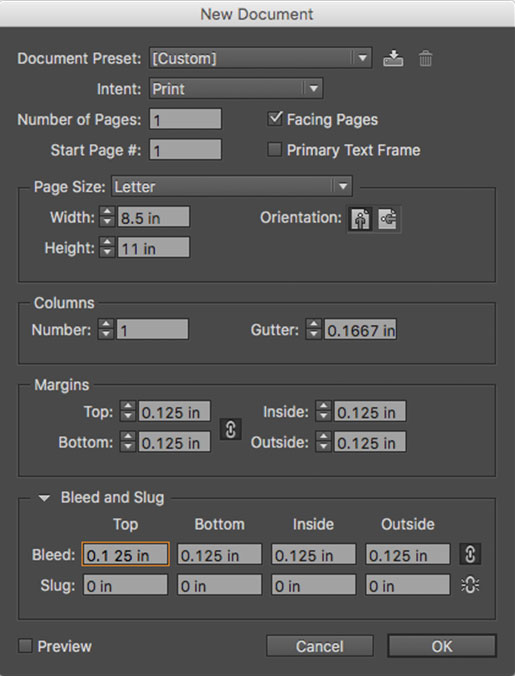
- Open InDesign and create a new file (File > New).
- Set the page size to match the dimensions of the finished print piece. For example, if you’re using an 8.5 x 11 (portrait) template, make the dimensions 8.5 x 11 (portrait).
- Set all four Bleeds and Margins to 0.125 inches.