Skip to content

File Preparation

Icon label

Need help? These basic tutorials for file preparation will help simplify the process for you.

A side by side of the same image of a woman smiling comparison of a higher and lower resolution

Image Resolution

Icon label
A side by side image of a ladybug in RGB and CMYK colour mode comparison

CMYK Colour Mode

Icon label
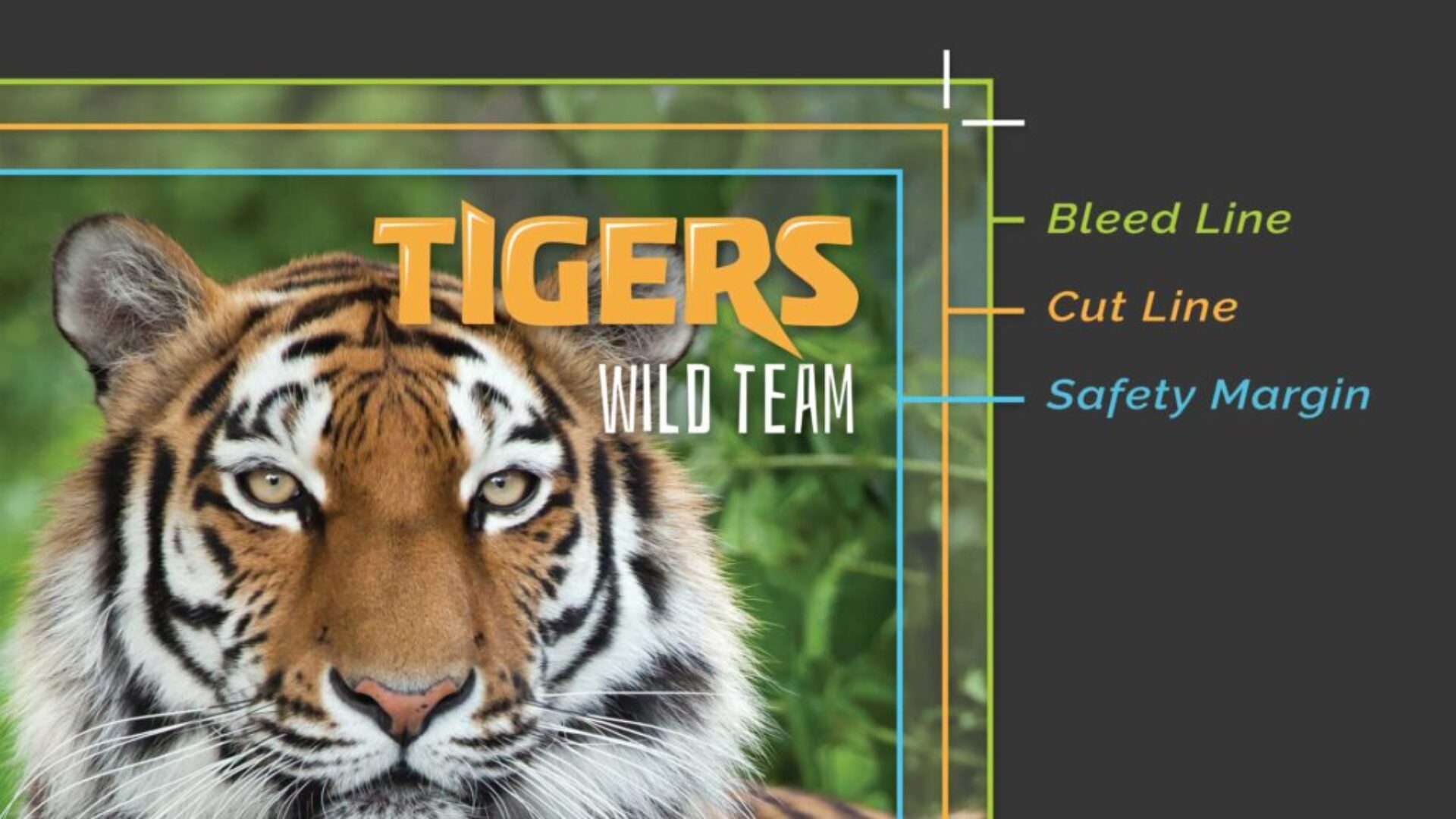
Example of an image with bleed, cut, and safety margins

Bleeds, Cut Line, and Safety Margin

Icon label
An image example showing bleed line, cut line, and 1/4" border.

Borders With Bleeds

Icon label
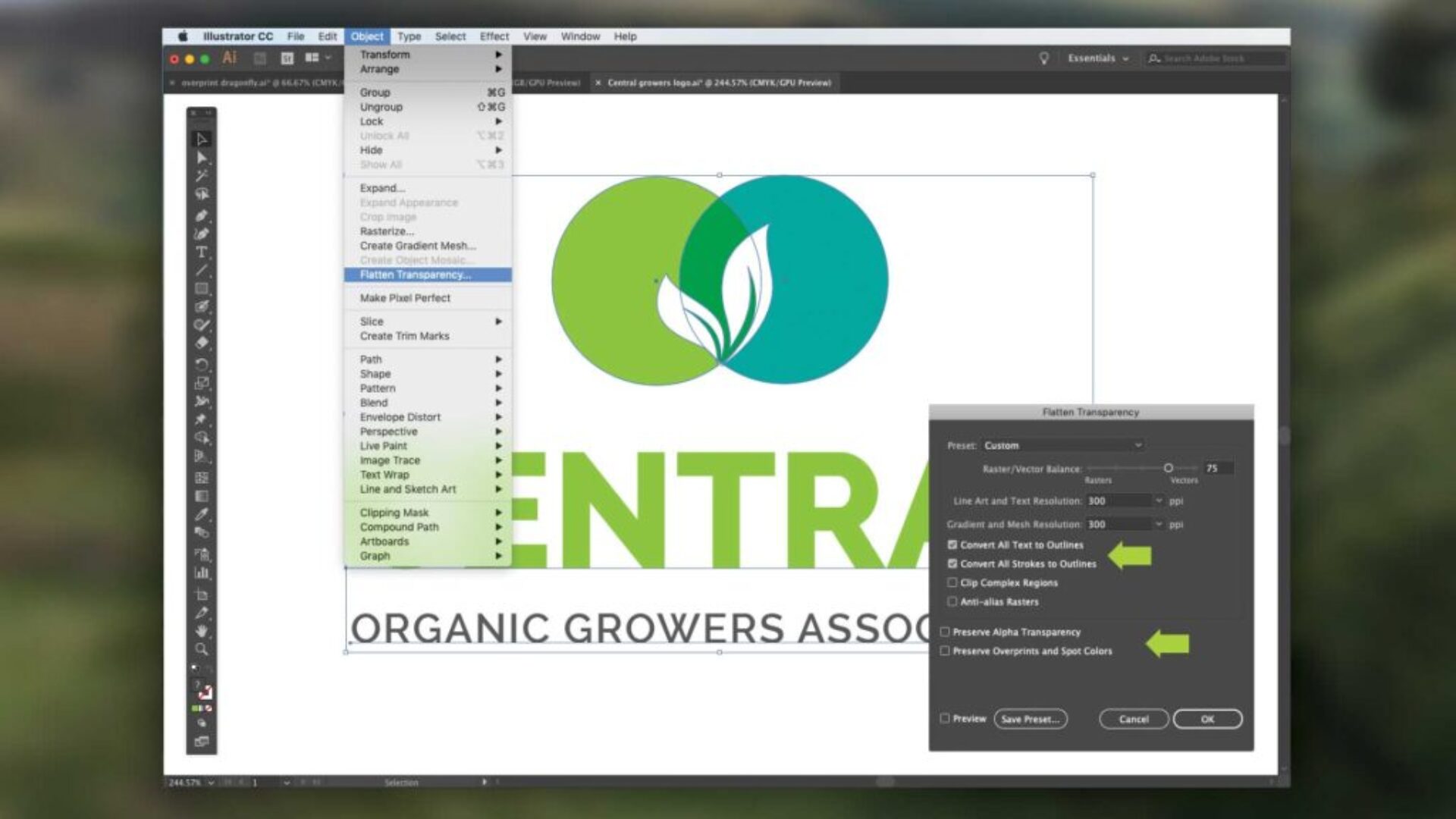
A screenshot of an open illustrator file with a view of a dropdown menu

Fonts and Transparency

Icon label
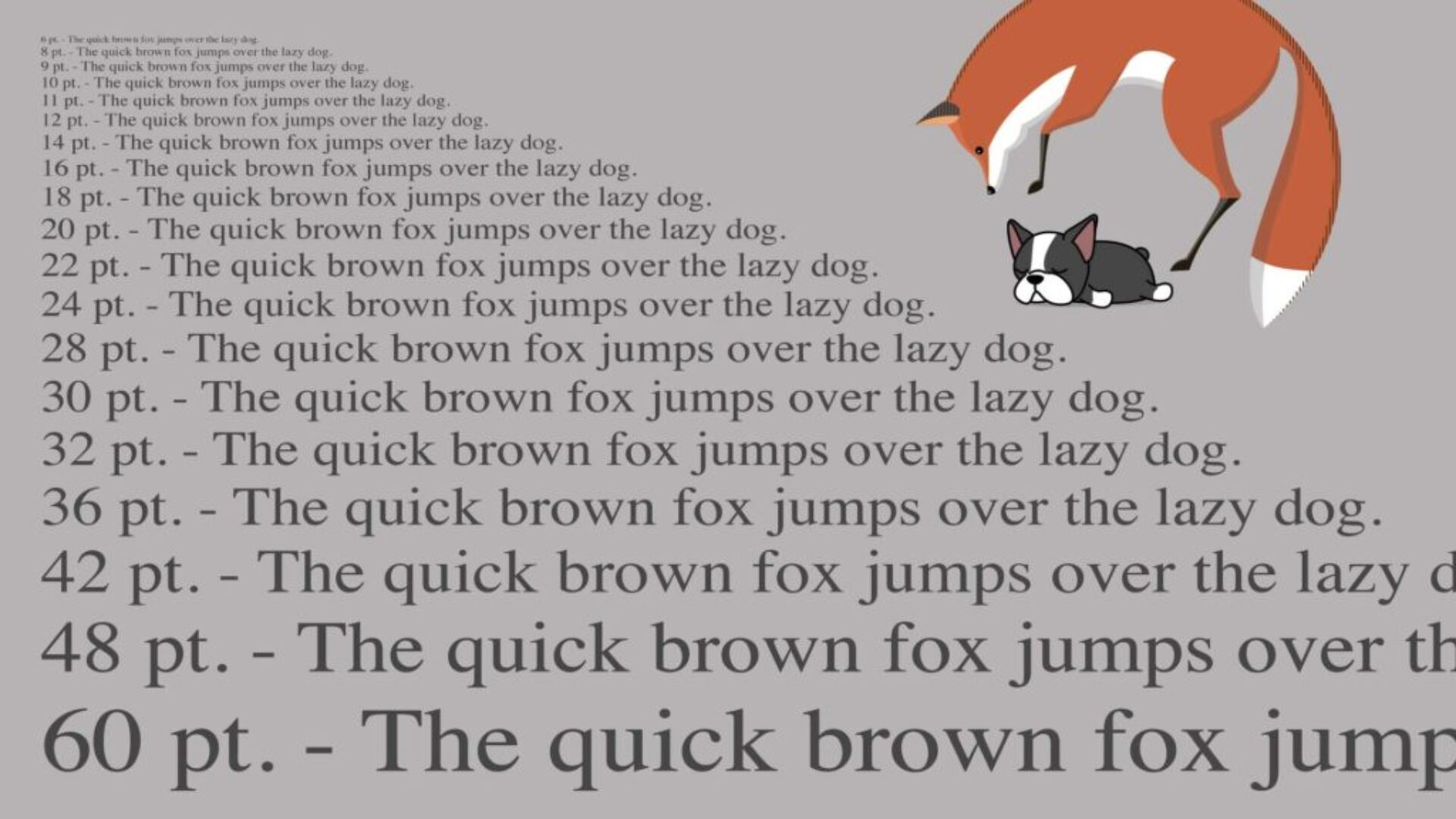
Example of font sizes going from large to small

Fonts and Text Point Sizes

Icon label
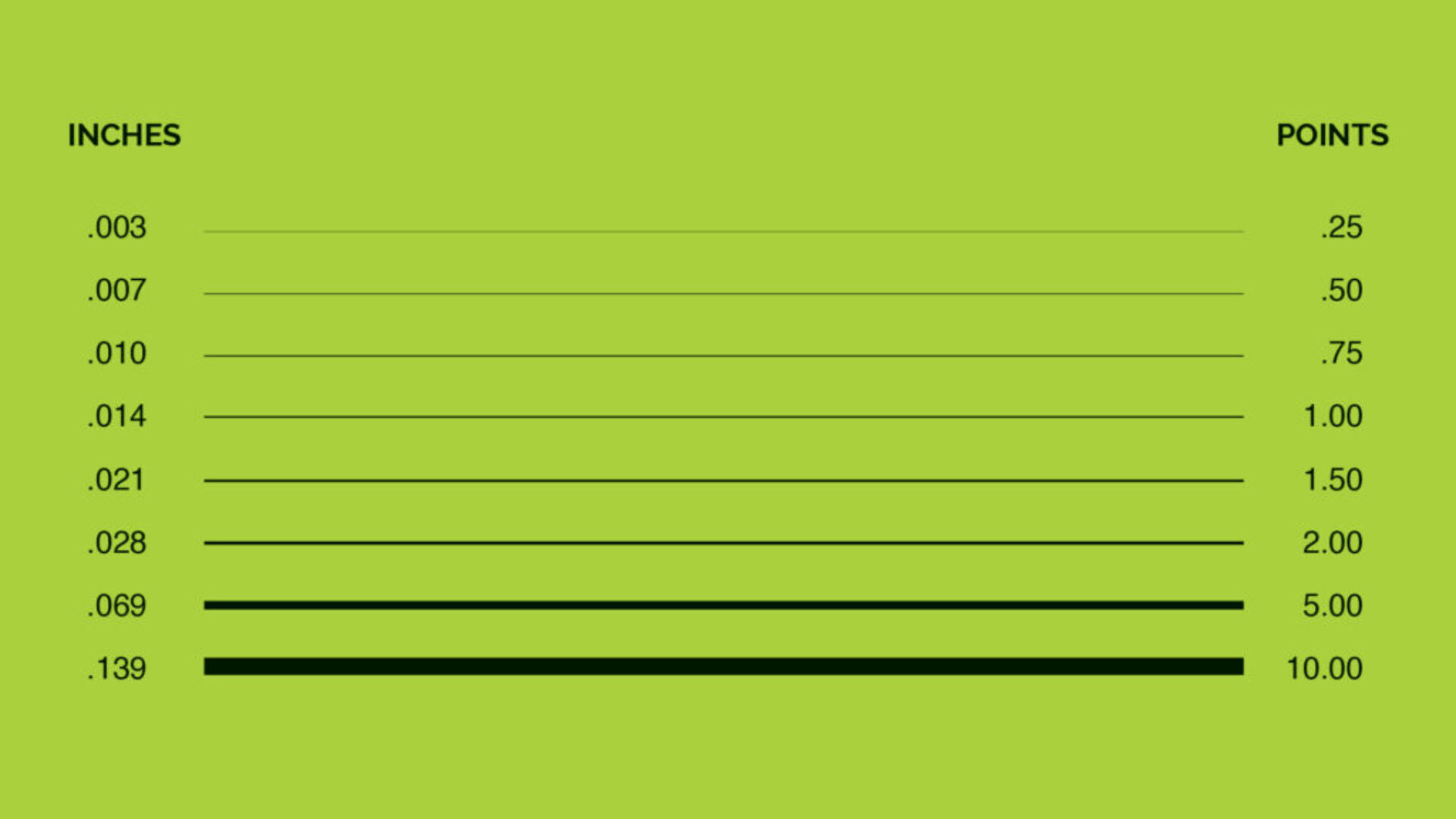
An example image of line width going from a larger stroke to stacked smaller strokes above

Line Width

Icon label
A screenshot of an inside layout of a Canva screen.

Canva Printing Prep

Icon label
An example image of a page layout with a half flipped page and numbered page labels

How to Count Leaves, Pages, and Sides

Icon label

Preparing Artwork Files

File Preparation Guidelines

Color Quality Excellence

Vector and Bitmap Graphics Info

Guidelines for Bleeds, Cut Line, and Safety Margin

These simple, easy-to-use file preparation guidelines will help you prepare print-ready artwork.

Adobe InDesign icon

InDesign

Adobe Illustrator icon

Illustrator

Adobe Photoshop icon

Photoshop

Quark Express icon

QuarkXpress

Corel Draw icon

CorelDRAW